Agent activity
Checking for WebMCP support
Requests are only sent after you confirm them. How this works
ONVIF · Protocol
ONVIF camera integration for Ayonix video analytics
In short
ONVIF provides standardised device discovery, media stream retrieval and device information across conformant cameras from many manufacturers. Ayonix video analytics consumes camera streams through standard interfaces, which is what allows it to run on an existing multi-vendor camera estate.
ONVIF is an interoperability specification, not a single feature. Profile S covers video streaming, Profile T adds advanced streaming capabilities, and Profile M addresses metadata and analytics events. Conformance to a profile tells you which mechanisms a device implements, but it does not tell you whether a specific camera is positioned or specified well enough to support a given analytic — that is what the camera readiness review determines.
Compatibility
What is supported, stated explicitly
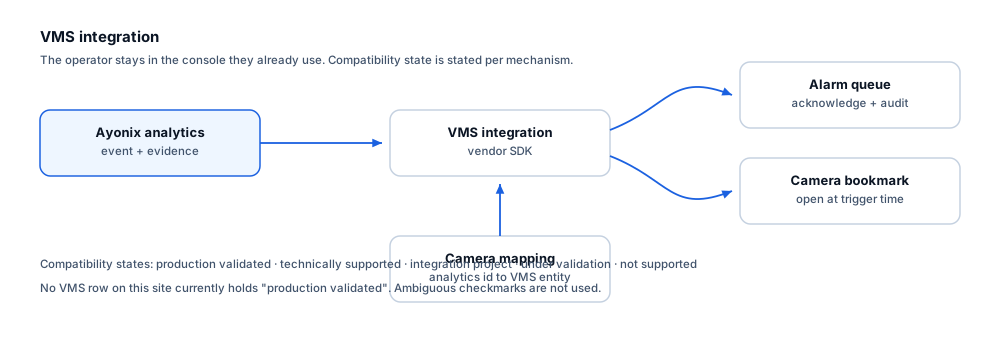
Every mechanism carries an explicit state. No ambiguous checkmarks are used, and no certification or marketplace status is claimed without evidence.
| Mechanism | State | Notes |
|---|---|---|
| Device discovery on the network | Technically supported | ONVIF discovery locates conformant devices without manual address entry. |
| Media stream profile retrieval | Technically supported | Stream URIs and encoder settings are retrieved through standard operations. |
| Device information and capabilities | Technically supported | Manufacturer, model and capability information supports the camera inventory. |
| Video streaming via Profile S / Profile T devices | Technically supported | Streams are consumed for analysis; codec and resolution are confirmed per camera. |
| Profile M metadata and analytics events | Under validation | Profile M support varies substantially by device. Behaviour is confirmed per camera model rather than assumed. |
| Guaranteed support for every ONVIF-badged camera | Not supported | Conformance claims vary in practice and implementation quality differs between manufacturers. Camera-by-camera verification is part of the readiness review. |
What each state means
- Technically supported
- The mechanism is a documented, standard interface that Ayonix video analytics can use directly. Version and environment specifics are still confirmed per project.
- Under validation
- Work is in progress and the integration is not yet offered commercially.
- Not supported
- Not available, and not on the current roadmap.
Operators
What this changes for the operator
- Cameras are added by discovery rather than by manual configuration of each address.
- Device information populates the camera inventory automatically.
- A multi-vendor estate is handled through one mechanism rather than per-manufacturer drivers.
- Stream loss is detected and reported as a health event.
Constraints
Limitations and the integration checklist
Limitations
- ONVIF conformance varies in practice; some devices implement a profile partially or with quirks.
- Profile M metadata support is inconsistent across manufacturers and generations.
- ONVIF says nothing about whether a camera is mounted, aimed or specified suitably for an analytic.
- Some manufacturers restrict capabilities behind proprietary interfaces not exposed through ONVIF.
Questions to settle before design
- Which ONVIF profiles do the site cameras actually claim, by model?
- Have encoder settings been checked against the frame rate the analytic needs?
- How are camera credentials stored and rotated?
- Is discovery traffic permitted on the analytics network segment?
- Have clocks been synchronised across cameras and analytics nodes?
- Which cameras have passed the readiness review for their intended rule?
Frequently asked questions
Does ONVIF conformance mean a camera will work with analytics?
It means the camera implements standardised interfaces for discovery and streaming. It says nothing about whether the camera is high enough, aimed correctly, or has enough pixels on target for the rule you intend. Those are readiness-review questions and they determine success far more than the protocol does.
Can we mix camera manufacturers?
Yes — that is the main practical benefit of ONVIF, and most existing estates are already mixed. Behaviour still varies between models, which is why the readiness review is per camera rather than per manufacturer.
What about Profile M metadata?
Support varies substantially between manufacturers and firmware generations, so it is confirmed per camera model rather than assumed. Where it is not dependable, analytics runs on the video stream instead.
Other integrations
-
Milestone XProtect
Available through integration project
-
Genetec Security Center
Available through integration project
-
Network Optix Nx Witness
Available through integration project
-
RTSP
Technically supported
-
Event webhooks
Available through integration project
-
REST API
Available through integration project
- Author
- Gabriel Bamola, Chief Marketing Officer, Ayonix
- Technical review
- Dr Sadi Vural, Founder and Chief Executive Officer, Ayonix
- Published
- Last reviewed
Scope a ONVIF integration
Integration scoping starts with confirming your product version, the mechanisms it exposes, and what your operators actually need to see. Send those details and an engineer will tell you what is achievable in your environment.