Agent activity
Checking for WebMCP support
Requests are only sent after you confirm them. How this works
IETF standard · Protocol
RTSP stream ingestion for Ayonix video analytics
In short
RTSP is the standard mechanism for retrieving a live camera stream for analysis. It works across effectively every IP camera and VMS, which makes it the most universally available ingestion path — but stream settings, particularly frame rate and keyframe interval, determine analytic quality more than the protocol does.
RTSP with RTP media delivery is supported by effectively all IP cameras and by most VMS platforms as a re-stream. Ayonix analytics consumes the stream, decodes frames at the configured analysis rate and runs detection on them. The practical work is not in the protocol but in the stream profile: analytics needs adequate frame rate, a sensible keyframe interval and a bitrate that does not destroy detail in motion.
Compatibility
What is supported, stated explicitly
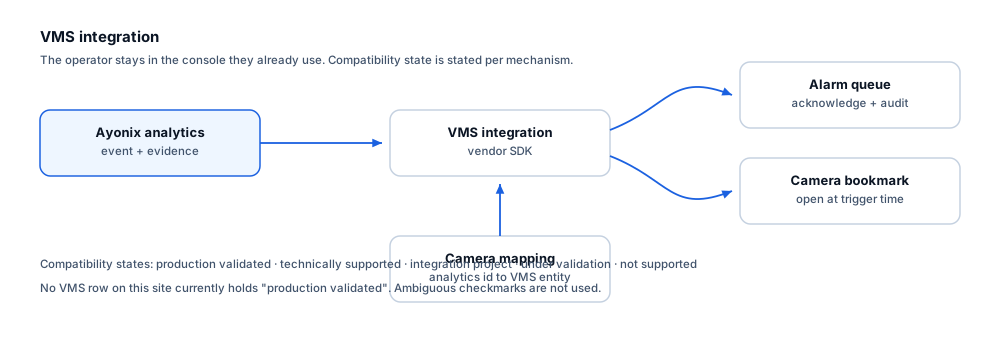
Every mechanism carries an explicit state. No ambiguous checkmarks are used, and no certification or marketplace status is claimed without evidence.
| Mechanism | State | Notes |
|---|---|---|
| Direct camera stream ingestion | Technically supported | Primary or secondary stream URIs are consumed directly from the camera. |
| VMS re-stream ingestion | Technically supported | Where a VMS re-streams over RTSP, analytics can consume that instead of connecting to cameras directly. |
| Stream health monitoring | Technically supported | Connection loss, frame gaps and decode errors are detected and reported as health events. |
| Automatic reconnection with backoff | Technically supported | Transient stream loss is retried with bounded backoff rather than failing permanently. |
| RTSP over TLS where the device supports it | Technically supported | Transport security depends on device support; confirm per camera model. |
| Analytics quality guarantee from any RTSP stream | Not supported | A reachable stream is not the same as a usable one. Frame rate, bitrate and keyframe interval materially affect detection. |
What each state means
- Technically supported
- The mechanism is a documented, standard interface that Ayonix video analytics can use directly. Version and environment specifics are still confirmed per project.
- Not supported
- Not available, and not on the current roadmap.
Operators
What this changes for the operator
- A lost stream appears as a health event rather than silently producing no detections.
- Reconnection is automatic, so brief network interruptions do not require manual intervention.
- Stream availability is reported per camera alongside analytics output, so a quiet camera can be distinguished from a broken one.
Constraints
Limitations and the integration checklist
Limitations
- A very low frame-rate stream will miss fast movement regardless of analytics configuration.
- Aggressive bitrate limiting destroys detail in exactly the moving regions analytics needs.
- Long keyframe intervals lengthen recovery after packet loss.
- Consuming a secondary stream at low resolution may be insufficient for rules that need pixel-on-target at range.
Questions to settle before design
- What frame rate and resolution does the stream actually deliver, measured rather than configured?
- Is the keyframe interval short enough for prompt recovery?
- Should analytics consume the camera directly or a VMS re-stream?
- Is there sufficient network capacity if analytics runs centrally rather than at the edge?
- How are stream credentials stored and rotated?
- Is stream health surfaced where operators will actually see it?
Frequently asked questions
Can we use the camera secondary stream to save bandwidth?
Sometimes, for rules at short range with large objects in frame. For anything needing pixel-on-target at distance, a low-resolution secondary stream will not support it. The readiness review determines which stream each rule needs rather than applying one policy estate-wide.
Should analytics connect to cameras or to the VMS?
Both work. Connecting to the VMS re-stream avoids a second connection to each camera and can simplify credentials; connecting directly avoids depending on VMS availability. The choice usually follows the existing network design and who owns the cameras.
What frame rate is needed?
It depends on the rule. Counting and crossing rules generally need 12–15 fps or more so a fast subject is tracked across several frames. Zone presence rules tolerate less. Very low frame rates undermine tracking, which undermines everything built on top of it.
Other integrations
-
Milestone XProtect
Available through integration project
-
Genetec Security Center
Available through integration project
-
Network Optix Nx Witness
Available through integration project
-
ONVIF
Technically supported
-
Event webhooks
Available through integration project
-
REST API
Available through integration project
- Author
- Gabriel Bamola, Chief Marketing Officer, Ayonix
- Technical review
- Dr Sadi Vural, Founder and Chief Executive Officer, Ayonix
- Published
- Last reviewed
Scope a RTSP integration
Integration scoping starts with confirming your product version, the mechanisms it exposes, and what your operators actually need to see. Send those details and an engineer will tell you what is achievable in your environment.