Agent activity
Checking for WebMCP support
Requests are only sent after you confirm them. How this works
operations analytics
People counting that answers how many, which way and when
In short
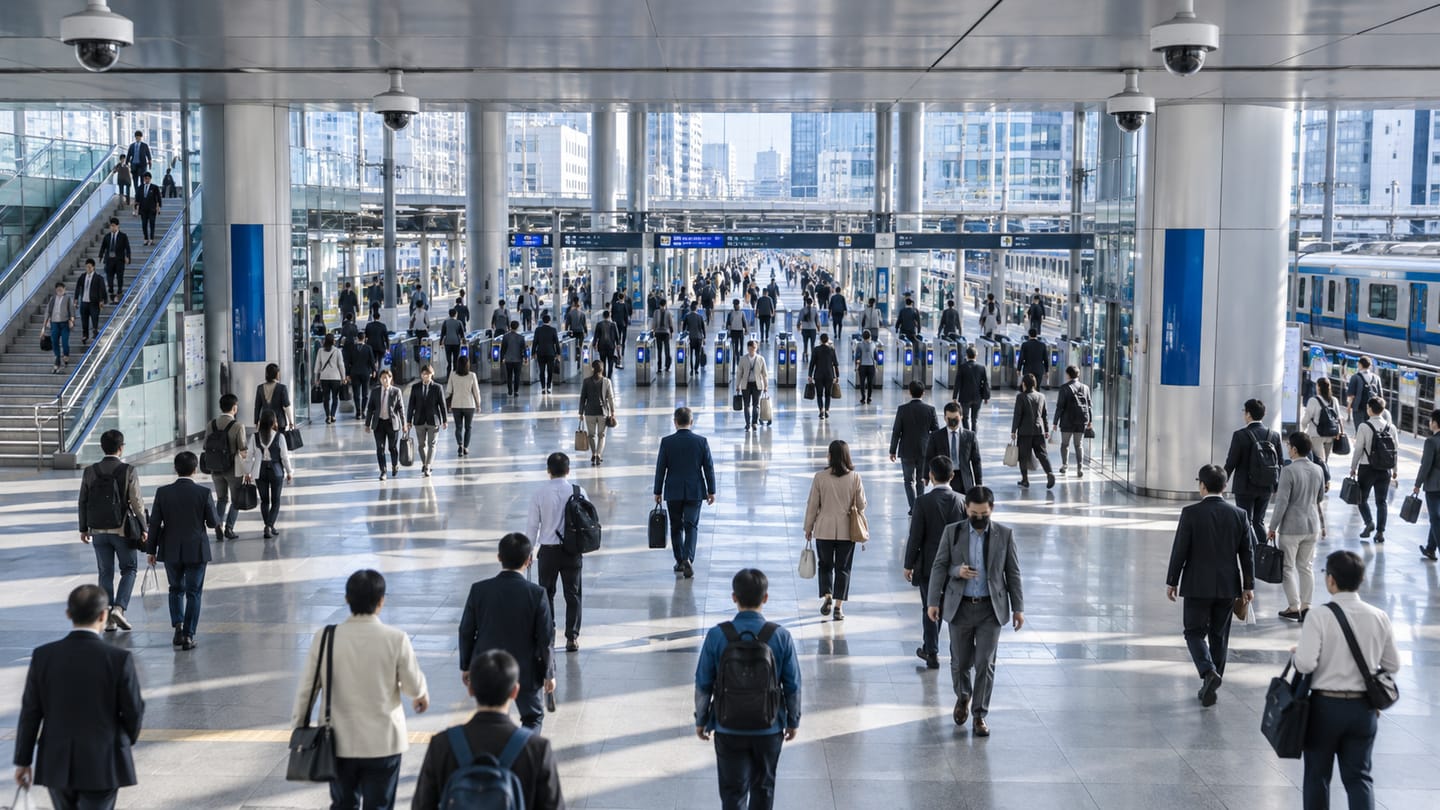
Ayonix people counting counts movement across a virtual line on an existing camera view and compares directional flow through the day. It produces entry and exit totals, peak-period comparison and directional flow for entrances, corridors and concourses, delivered as an aggregate series without identifying anyone.
Scope
What this analytic does, and what it does not
What it detects
- People crossing a counting line in each direction
- Entry and exit totals per interval
- Peak periods across a day, week or season
- Net flow and directional imbalance between entry and exit
What it does not guarantee
- An exact head count in dense crowds where individuals occlude each other
- Distinction between staff, customers and contractors
- Correct totals where people pass outside the counted line
- Identification or re-identification of any individual
The problem
What customers are actually dealing with
These are the situations that lead teams to look at this analytic in the first place.
- Transaction data shows what was sold but not how many people came in, so conversion cannot be calculated.
- Staffing is planned from last year’s assumptions rather than measured arrival patterns.
- Manual counts are expensive, inconsistent and only cover short sample periods.
- Separate counting hardware at each door adds cost and another system to maintain when cameras already cover the doors.
How it works
Detection workflow
Every event carries the rule that produced it, so an operator can see why they were alerted.
- 1
Ingest
Entrance camera streams are read and monitored for availability.
- 2
Detect and track
People are detected and tracked so each person produces one continuous path.
- 3
Evaluate crossing
Each track is tested against the counting line and assigned a direction.
- 4
Aggregate
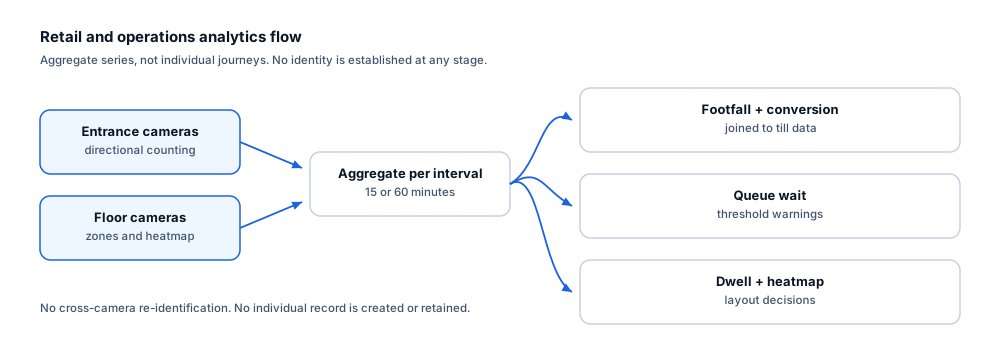
Crossings are accumulated into configurable intervals such as fifteen minutes or one hour.
- 5
Publish
Interval totals are written to the dashboard and made available for export or API retrieval.
Configuration options
- Counting line position and geometry per entrance
- Reporting interval (commonly 15 or 60 minutes)
- Direction labelling so entry and exit are consistent across sites
- Region masks to exclude a pavement, escalator or adjacent shop visible in the same view
- Opening-hours schedule so out-of-hours movement is reported separately
- Optional staff-door exclusion so back-of-house movement does not inflate customer counts
Alert quality
How irrelevant and duplicate alerts are reduced
No video analytic eliminates false alerts. These are the mechanisms that reduce them, and the residual rate is measured on your own cameras.
- Track-based counting means one person produces one count, not one per frame.
- A minimum track length before the line prevents objects that appear on the line from being counted.
- Region masks remove adjacent public space that would otherwise contribute spurious counts.
- Consistent direction labelling across sites makes totals comparable rather than merely available.
- Counting error rises with crowding and group entry; the pilot quantifies it against a manual count on your own doors.
Prerequisites
Camera requirements and environmental limits
Camera suitability decides more of the outcome than any software setting. These are assessed per camera before commitment.
Camera requirements
- An overhead or steeply angled view at the doorway, which reduces occlusion between people far more than any software setting
- Person height of at least 10% of frame at the line position
- A frame rate of 12–15 fps or higher to capture fast entries
- A field of view covering the full door width so nobody bypasses the line
- Consistent lighting at the threshold across all trading hours, including bright daylight through a glass frontage
Environmental limitations
- Groups walking abreast through a wide doorway are the main source of under-counting.
- Strong backlight through a glass entrance can silhouette people and reduce detection.
- Prams, trolleys and carried children behave differently from single adults and should be included in acceptance testing.
- A near-horizontal camera view at a busy door will not produce trustworthy counts regardless of tuning.
Delivery
Alerts, evidence and where they land
Event and evidence fields
- Entrance and line name
- Interval start and end with timezone
- Entries and exits in the interval
- Net flow
- Camera availability percentage for the interval
- Site identifier
VMS integration
Counting output is a data series rather than an operator alarm, so it normally flows to an operational dashboard or BI tool rather than into the VMS alarm queue. Where a VMS hosts operational dashboards, counts can be surfaced there as well.
See compatibility states →Deployment options
- Edge processing at each store or building, sending only aggregate counts upstream
- On-premise processing where entrance cameras already aggregate to a site server
- Hybrid deployment where counting runs locally and totals are centralised for estate reporting
- Multi-site management so line configuration and direction labelling are consistent across the estate
Measurement
Dashboard metrics and pilot acceptance criteria
Acceptance thresholds are agreed with you before the pilot starts. This site publishes no benchmark figures, because they do not transfer between sites.
Dashboard metrics
- Entries and exits per interval per entrance
- Daily and weekly footfall trend
- Peak hour and peak interval per site
- Entrance share of total arrivals
- Conversion where transaction data is joined
- Counting availability per entrance
Measurable pilot criteria
- Counting error against a manual count over defined quiet, normal and peak periods at each entrance
- Direction accuracy measured separately from total accuracy
- Behaviour with a scripted group entry of three to five people abreast
- Interval completeness — no gaps caused by stream loss during trading hours
- Agreement between two consecutive days with comparable trading conditions
Governance
Privacy and governance
- Counting produces aggregate numbers. No face template, identity or personal record is created.
- Where only totals are required, imagery need not be retained at all beyond the processing window.
- Aggregate footfall data is normally far less sensitive than CCTV recordings and should be governed accordingly.
- Public-facing signage obligations for camera surveillance still apply to the underlying cameras.
Frequently asked questions
How accurate is camera-based people counting?
It depends on the view. An overhead camera at a normal doorway with good lighting performs very differently from a wide-angle camera mounted high on a wall across a busy atrium. Rather than quoting a general figure, the pilot measures error against a manual count on your own doors across quiet and peak periods.
Can it tell staff from customers?
Not by itself. It counts people. Sites that need a customer-only figure normally exclude staff doors from the calculation or subtract a known staffing pattern. Attempting to classify staff visually is not part of this capability.
Do we need dedicated counting hardware?
Not where existing entrance cameras give a suitable view. Ayonix counting runs on the camera estate you already have, which is usually the main reason customers choose a video-based approach over dedicated sensors.
Keep reading
Related solutions and industries
Related solutions
-
Entrance and exit analytics
Report directional entry and exit volumes per doorway, compare peak periods and identify which e…
-
Line crossing detection
Raise an event when a person or vehicle crosses a virtual line in a defined direction, using the…
-
Occupancy analytics
Report how intensively rooms, floors and zones are used over time, so space, cleaning and energy…
-
Customer flow analytics
Combine directional counting, dwell and heatmaps to show how visitors move through a space, whic…
Where it is used
-
Retail
Video analytics for stores that already have the cameras
-
Shopping malls
Video analytics for shopping centre leasing and operations
-
Railway and metro
Video analytics for stations, platforms and concourses
-
Corporate buildings
Video analytics for workplace utilisation and building security
- Author
- Gabriel Bamola, Chief Marketing Officer, Ayonix
- Technical review
- Dr Sadi Vural, Founder and Chief Executive Officer, Ayonix
- Published
- Last reviewed
Evaluate people counting on your own cameras
A controlled pilot establishes what this analytic actually does in your environment, against acceptance criteria we agree before it starts. Send a sample video first if you would rather see an assessment before committing to a pilot.